Mobile Access Guide — iOS
To ensure seamless and secure access to our internal systems — such as Kili, OMS, Cratos, OC, QuickBI and more — from your iPhone or iPad, we are rolling out Transbay, the iOS client of EagleCloud YunShu.
With Transbay, you can:
- Securely connect to internal resources from your mobile device, anywhere
- Log in with your existing DingTalk account — no extra password to remember
- Access internal systems directly from your mobile browser
Android users: please refer to Mobile Access Guide — Android. The Android client is named YunShu, not Transbay.
Step 1: Download Transbay
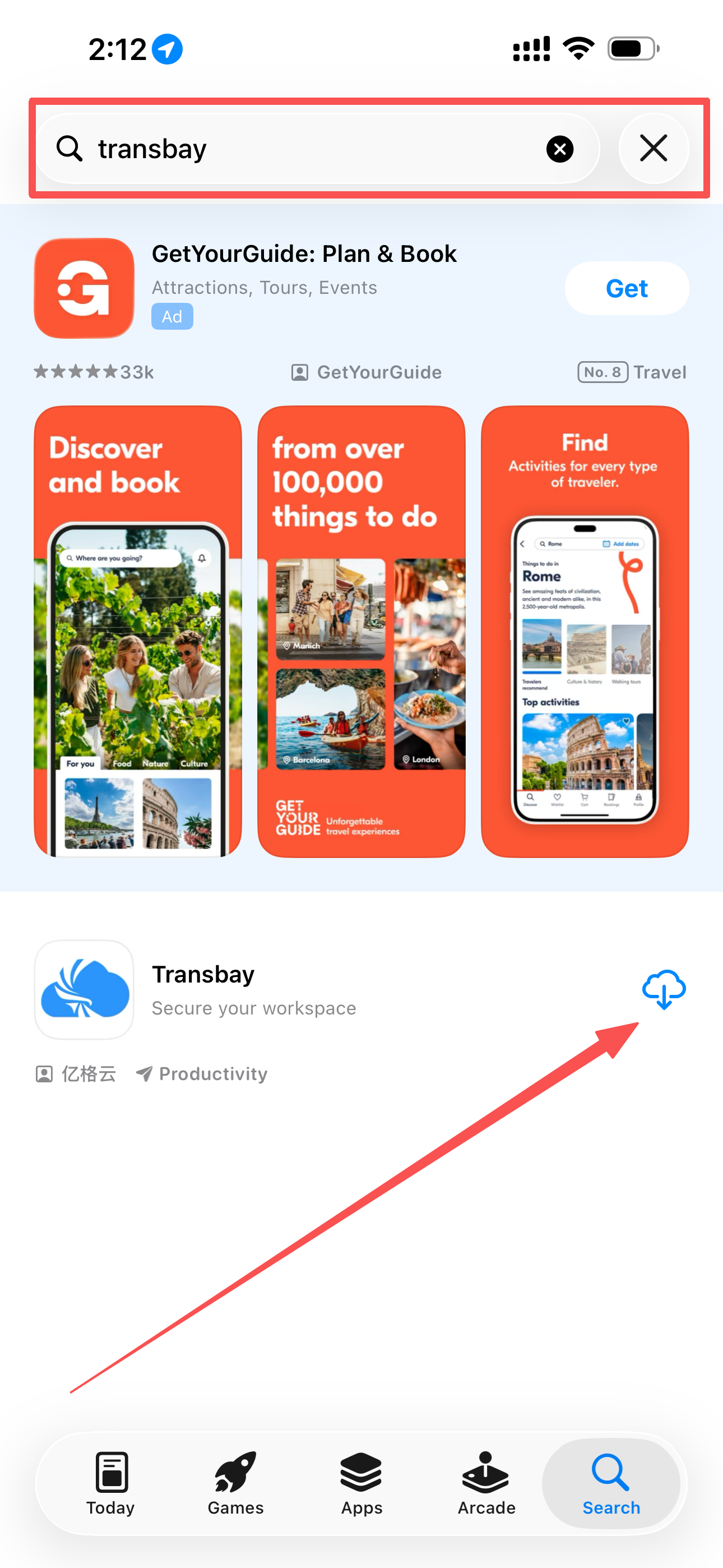
Method 1 (Recommended): App Store
Open the App Store, search for Transbay and download it.
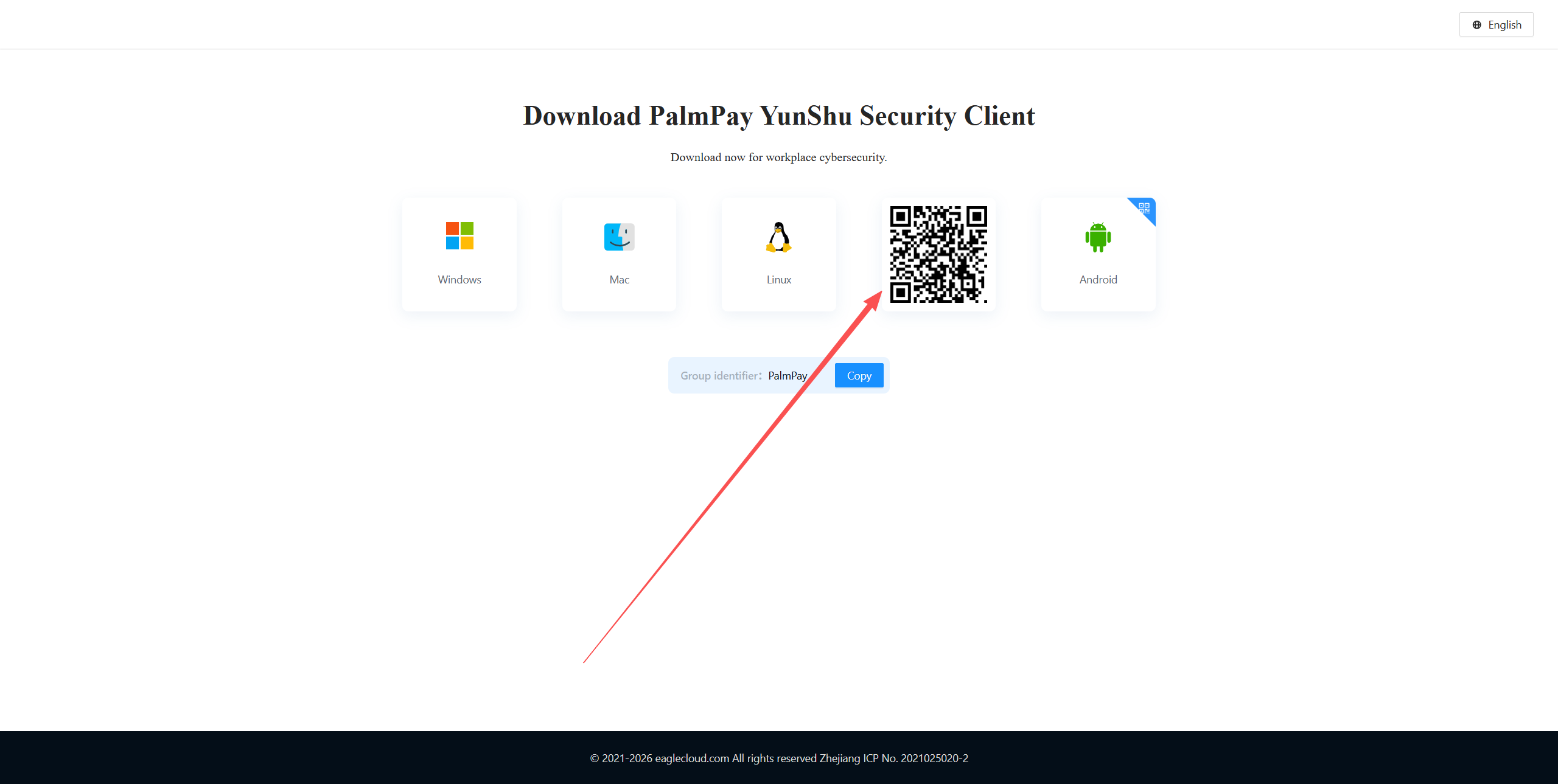
Method 2: QR Code
Open the Transbay download page and scan the QR code with your iPhone camera.
Step 2: Log In with DingTalk
- Launch Transbay
- Enter
PalmPayas the enterprise identifier and tap Next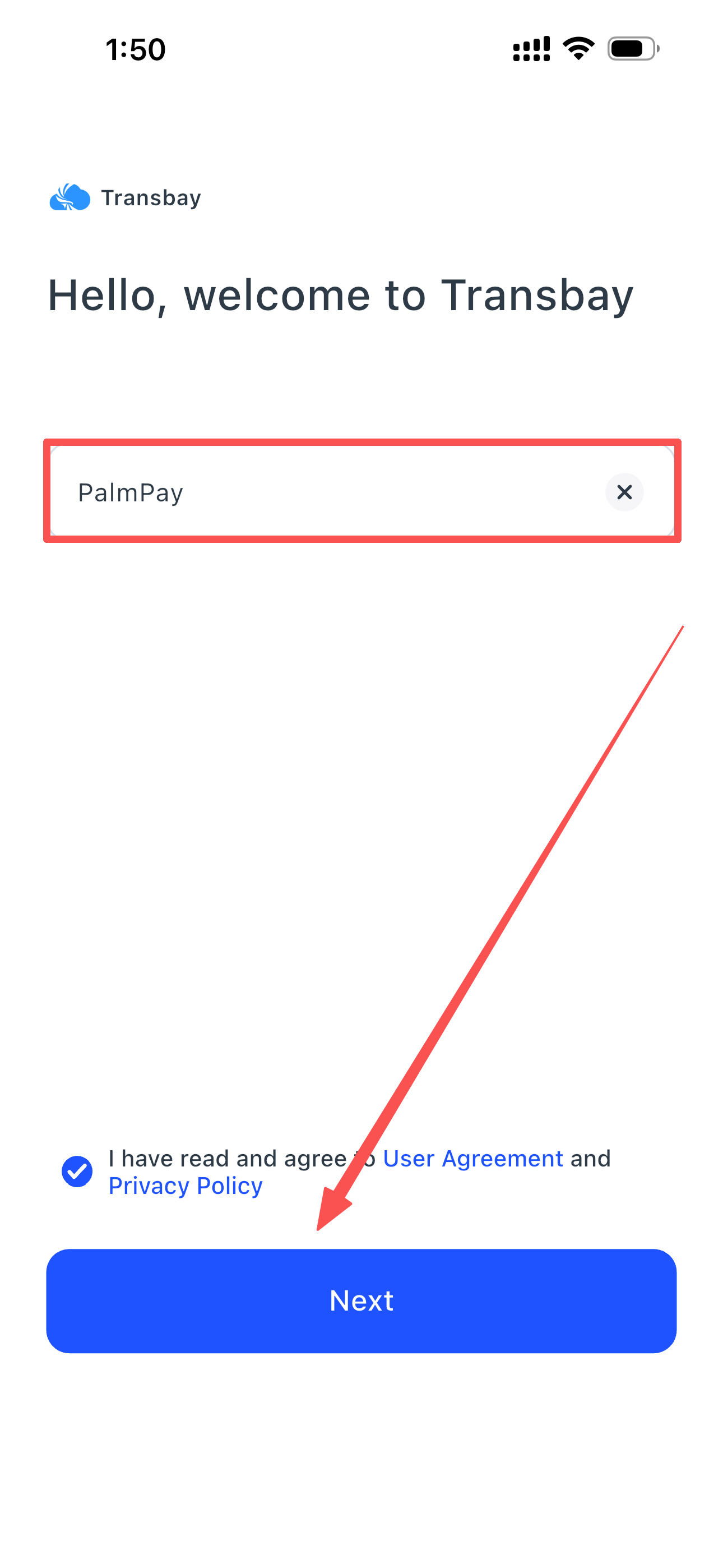
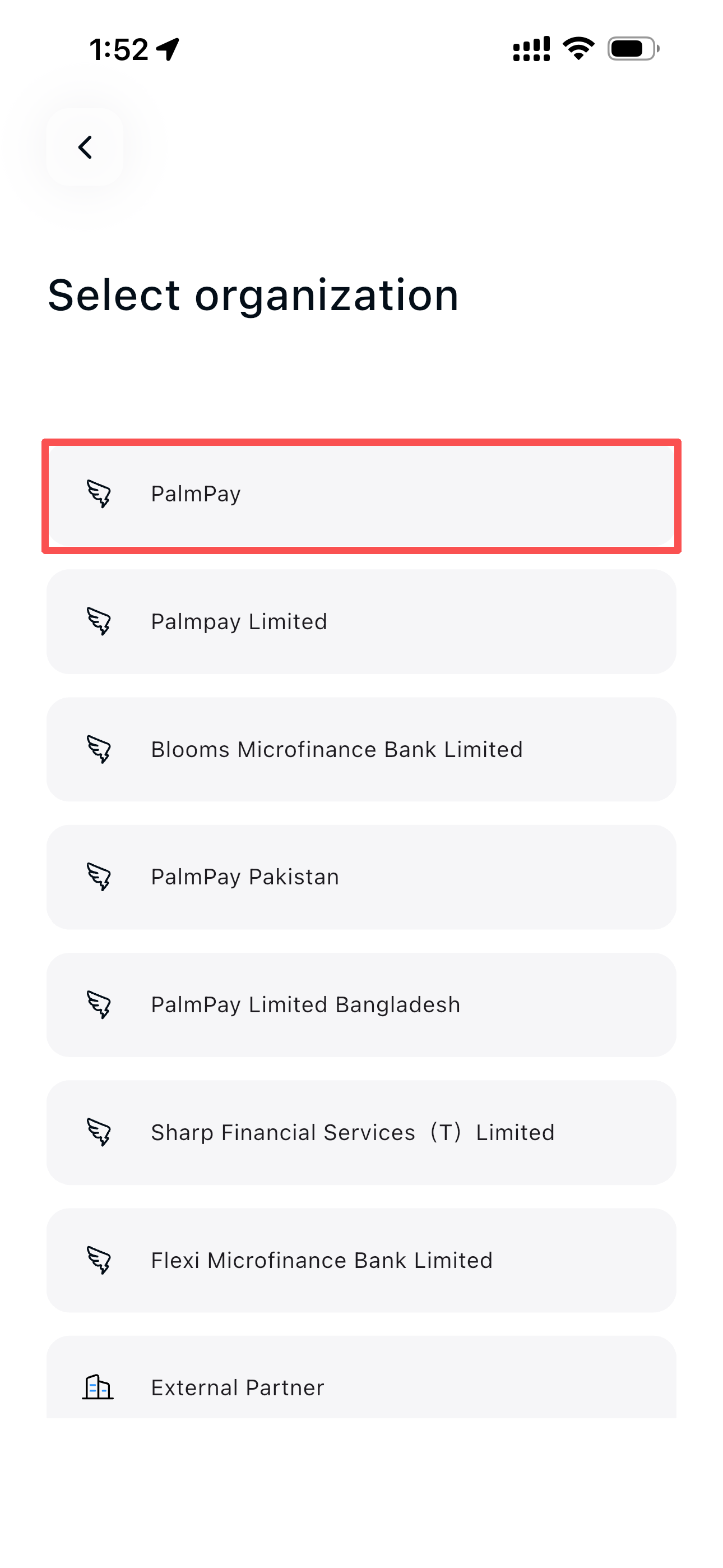
- Tap the PalmPay organization — you will be redirected to DingTalk automatically
- Authorize the login in DingTalk

Step 3: Connect to Internal Network
- On the home screen, find Network Connection and turn on the Internal Access toggle
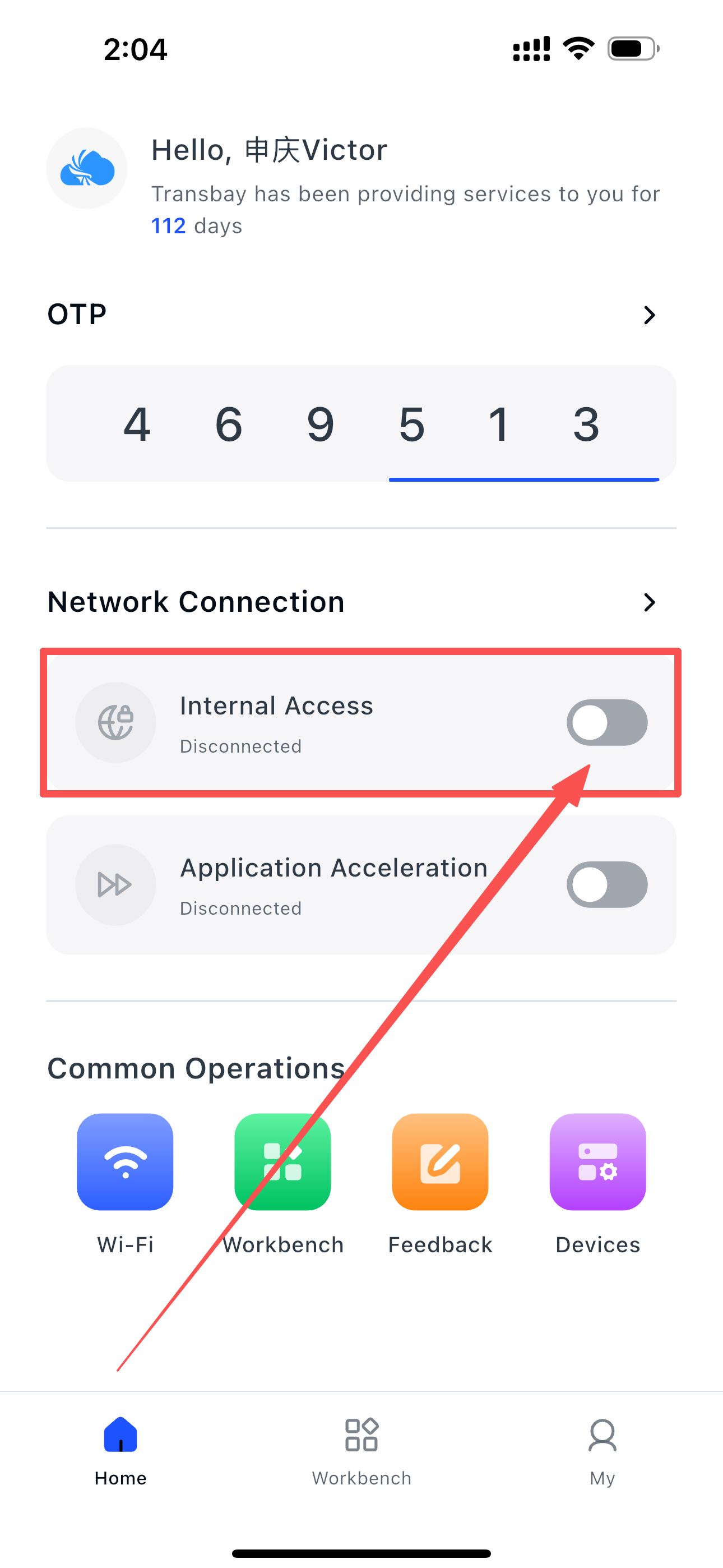
- Tap Allow when iOS asks to add a VPN configuration
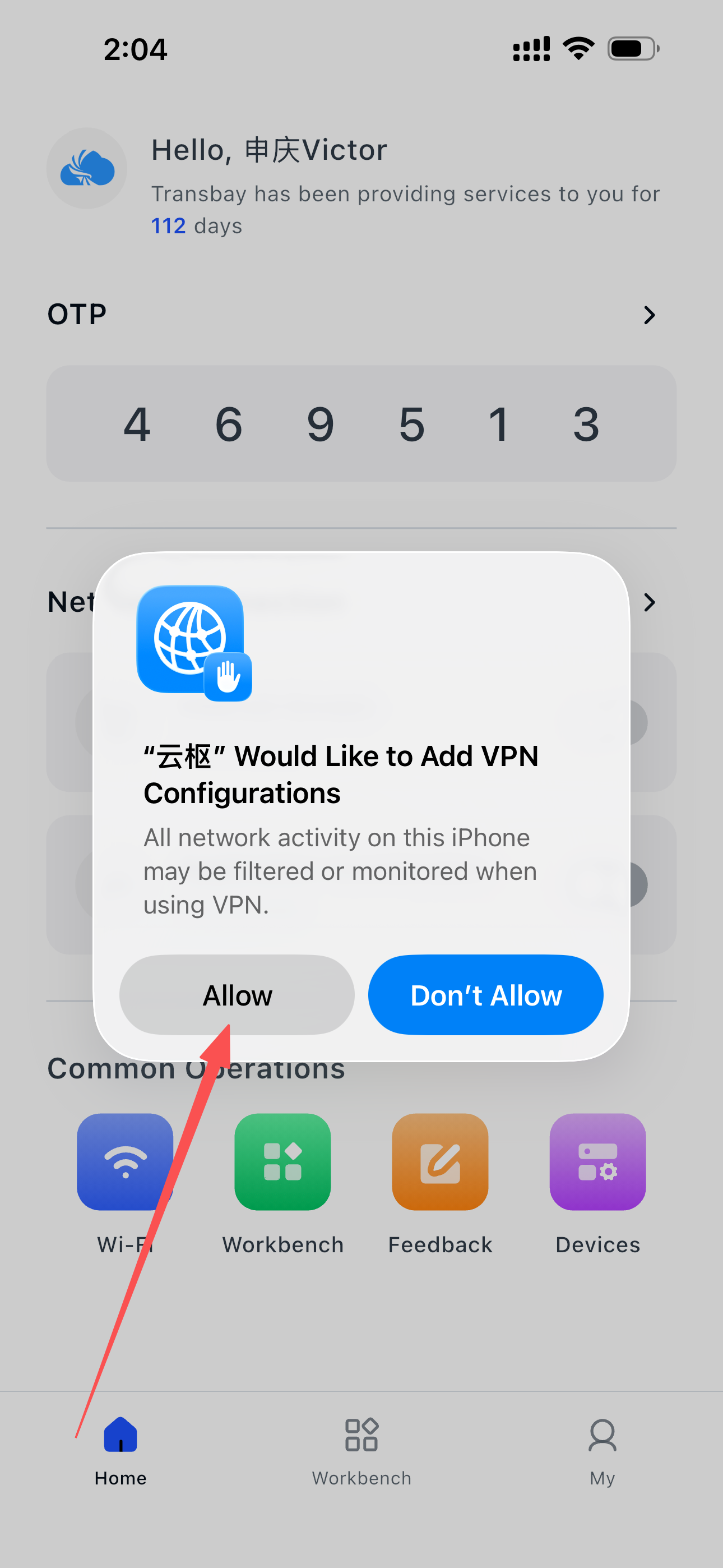
The dialog says "云枢" — is that correct?
Yes. The App Store name is Transbay, while the internal product name is 云枢 (YunShu). Both refer to the same client. Tap Allow to continue.
- Enter your device passcode to confirm
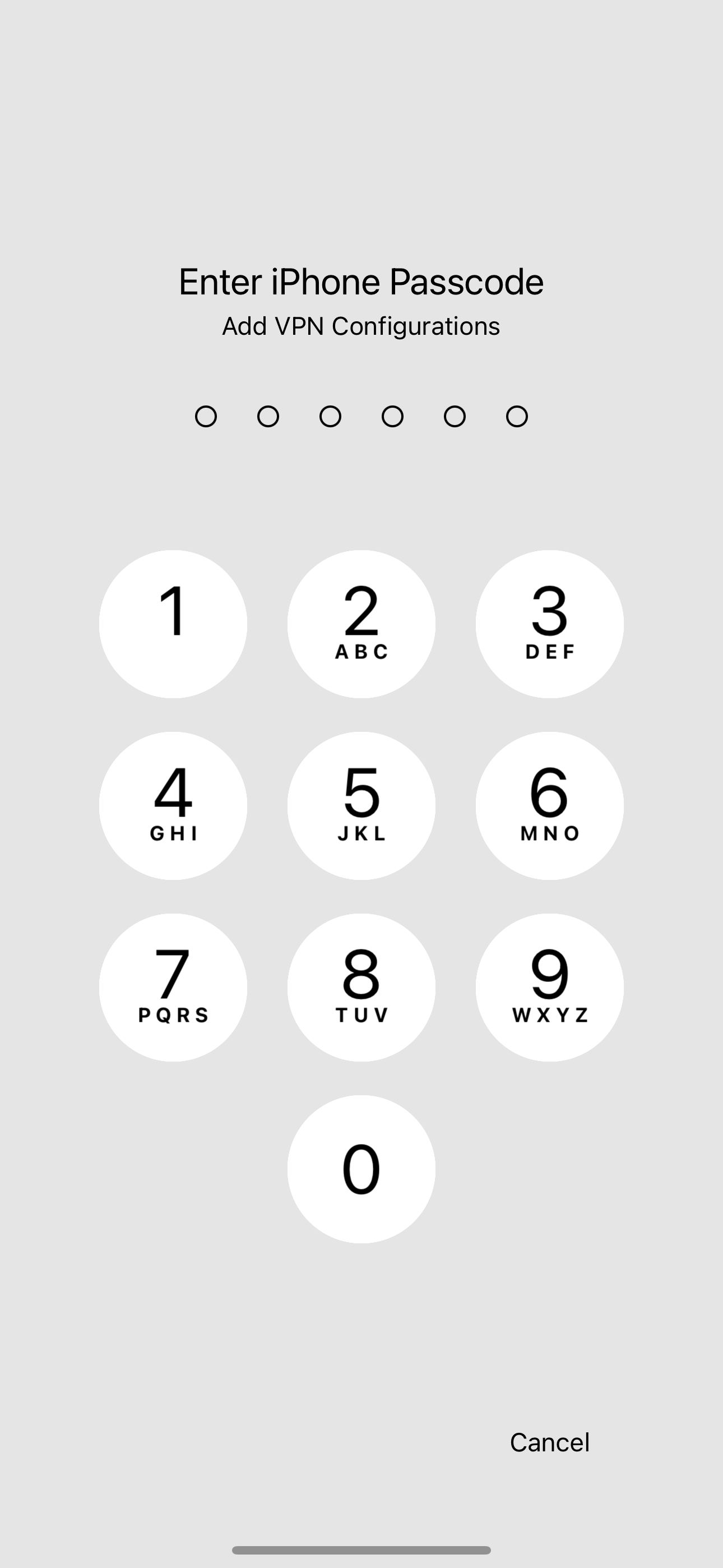
Which passcode is this?
This is your iPhone unlock passcode, not your DingTalk password. iOS requires it before any app is allowed to install a VPN profile.
Once confirmed, Internal Access shows Connected — you can now access internal systems from your mobile browser.
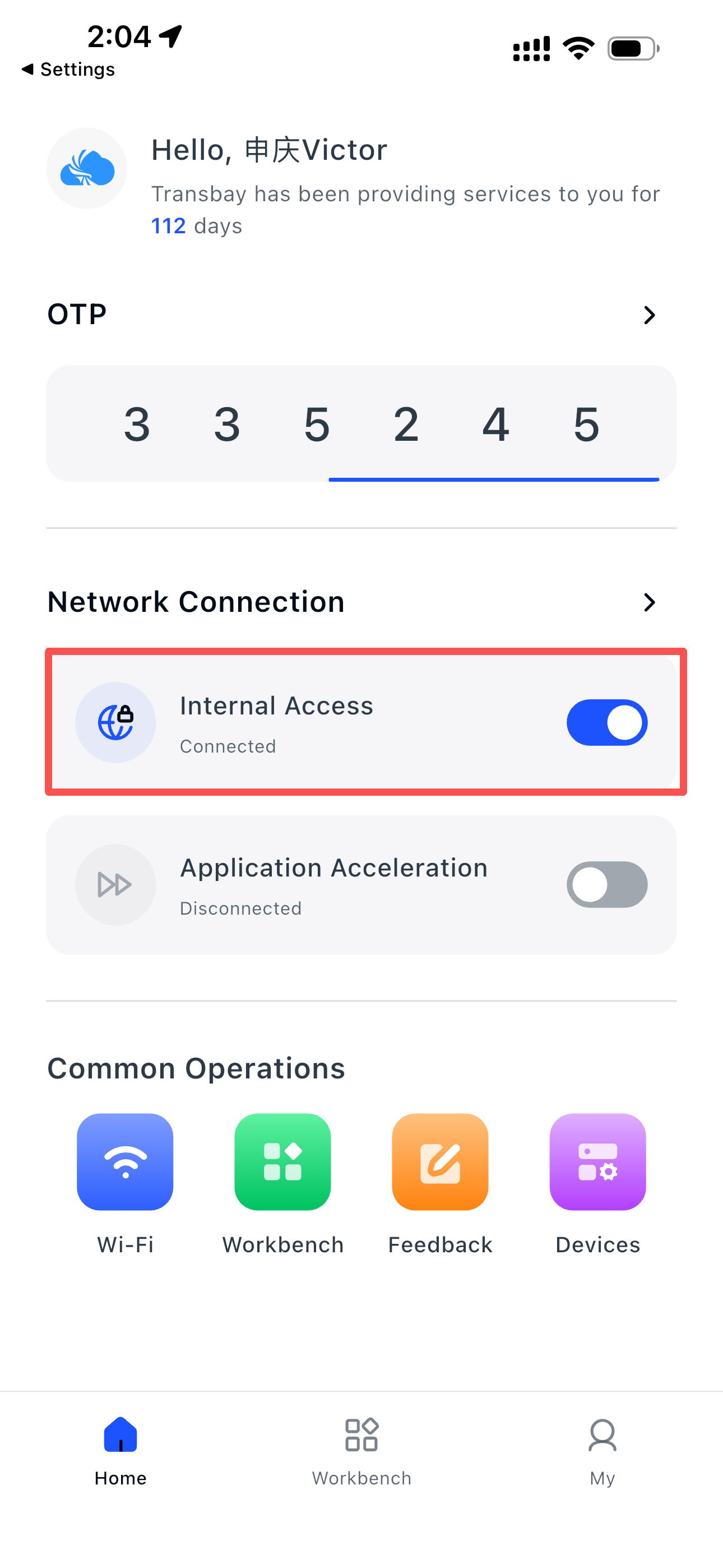
🎉 Congratulations! You're all set.
FAQ
| Question | Answer |
|---|---|
Transbay is not found in the App Store |
Your App Store region may differ. Use Method 2 (QR code) instead. |
| The enterprise identifier is rejected | It is exactly PalmPay — check spelling and capitalisation. |
| I am not redirected to DingTalk | Install DingTalk first, then retry. |
| DingTalk authorization fails | Your account may not belong to a PalmPay DingTalk organization. Contact IT Support. |
| The VPN toggle switches itself off | iOS allows only one active VPN. Disconnect other VPN apps and keep only Transbay. |
| Connected, but an internal site will not open | The resource may not be published to the mobile gateway yet. Contact IT Support with the exact URL. |
| Do I need to keep Transbay running? | Yes, keep it running in the background to maintain access to internal systems. |
| Need more help? | Contact the IT Support team. |